Showing posts with label chatterkids. Show all posts

Friday, October 28, 2016

Fall is in the Air

Summarizing
Third graders have been working hard on developing summaries of their reading. While retelling a story is sometimes a simple task, determining which events are most important to include in a summary can be challenging. The examples shared below involved students recording their summaries verbally in order to improve their verbal communication skills and to not be limited by the physical process of writing. 

One class of third graders created hand-drawn storyboards of the four most important events of the story "The Most Magnificent Thing" (a book they read on Epic! about persistence). Once their boards were complete, they took pictures of each frame, uploaded them to Shadow Puppet, and then recorded a summary of the book focusing on those four events. 

A Completed Storyboard

Recording the Summary in Shadow Puppet
A second class of third graders worked on retelling the story "Nate the Great San Francisco Detective" after a sequencing activity. The sequencing activity had many events that happened during the story, but students had to use their analytical skills to determine which ones were essential to the plot of the story. These students recorded their retellings in Seesaw. 
Recording a Summary
From Problem Solvers to Problem Makers
First graders have been working on solving part-part-whole story problems. This week several classes took their learning to a new level by creating story problems of their own. Students were given a part-part-whole template that they took a picture of in Seesaw. They then illustrated their story problem, wrote the parts and whole in the corresponding boxes, and then recorded their problem so that viewers would best understand their illustration. 

An Example of the Template and Beginning of an Illustration

Illustrating a Story Problem

Recording a Story Problem
Pumpkins
Kindergartners have been studying the changes pumpkins go through during the various stages of their lives. Recently they went on a field trip to a local pumpkin patch to learn more about pumpkins and see them in the various stages of growth. As a way for them to demonstrate their learning, students sequenced a series of six pictures of pumpkins in Pic Collage and then imported their collage into Seesaw where they recorded their knowledge. This activity was a great assessment of their knowledge of pumpkin growth, but also helped students with their verbal communication skills as they worked to describe what a pumpkin looks like at each of the different stages.

A Student Listens to Her Work
Explorers
In Social Studies, third grade students have been learning about explorers. After completing research to determine who sponsored a specific explorer, his contributions, and his exploration goal. Students created a recording in ChatterPix to share their own discoveries. The projects were uploaded to Seesaw so that students could learn from one another by viewing each other's work and share with their families. Click on the link below to view an example!


Eek! A Spider!
In the spirit of the season, first graders have been learning about spiders. Using their knowledge (and some impressive new vocabulary like arachnid), students created circle poems. I joined in on the fun by having students photograph their poems and record themselves reading them. This activity allowed students to practice their reading fluency. By creating it in Seesaw, students will be able to revisit their work later in the year and see how they've progressed! As they finished their recordings, students then used the note tool to write sentences about their new knowledge. 

A Student Photographs his Spider

A Student Practices Writing Skills Using the Note Tool

Tuesday, October 20, 2015

Students at Work!

What an awesome week of technology integration at JGES and HCES! From book reviews to rhyming words to learning about explorers, students were busy learning and using technology in purposeful ways. 

Book Review Blogging
Fourth graders blogging

Last week I taught one class of fourth graders how to use Kidblog (a blogging platform) to write book reviews for their classmates. Students are writing the reviews which include a brief synopsis, character description, and opinions. In addition to being a great resources for finding good books to read, the blog enable students to develop their writing skills for an authentic audience - their classmates! 

The beginning of a student's post


Digital Storytelling
In science, first graders have been busy learning about bats, owls, and apples. After reading several books about bats, each student used the app Educreations (allows students to including drawings as well as voice recording) to draw a scene from one of the books and retell that part. In addition to sharing what they learned about bats, this form of digital storytelling had students practice their listening comprehension and verbal communication skills.

A student works on her bat illustration

Story Problems
In math, first graders have been working to solve addition and subtraction story problems. However, with the use of iPads and the app Educreations, students created their own story problems and then recorded themselves explaining how to solve the problem and write the number sentence that represented the story problem they created. Students wrote problems about cats, sharks, hats, mermaids, and much more! Through the creation of these story problems and explanation of how to solve, students used higher level thinking skills that demonstrate a deep understanding of the process of addition.
Two students creating their story problem

Explorers 
What do you know about Christopher Newport, Christopher Columbus, Juan Ponce deLeon, and Jacques Cartier? I'm sure these two classes of third graders at JGES can teach you something! After researching one of the four explorers, students created a ChatterPix that included the country that sponsored the explorer, what the goals of the explorer were, where he traveled, and other interesting facts. 

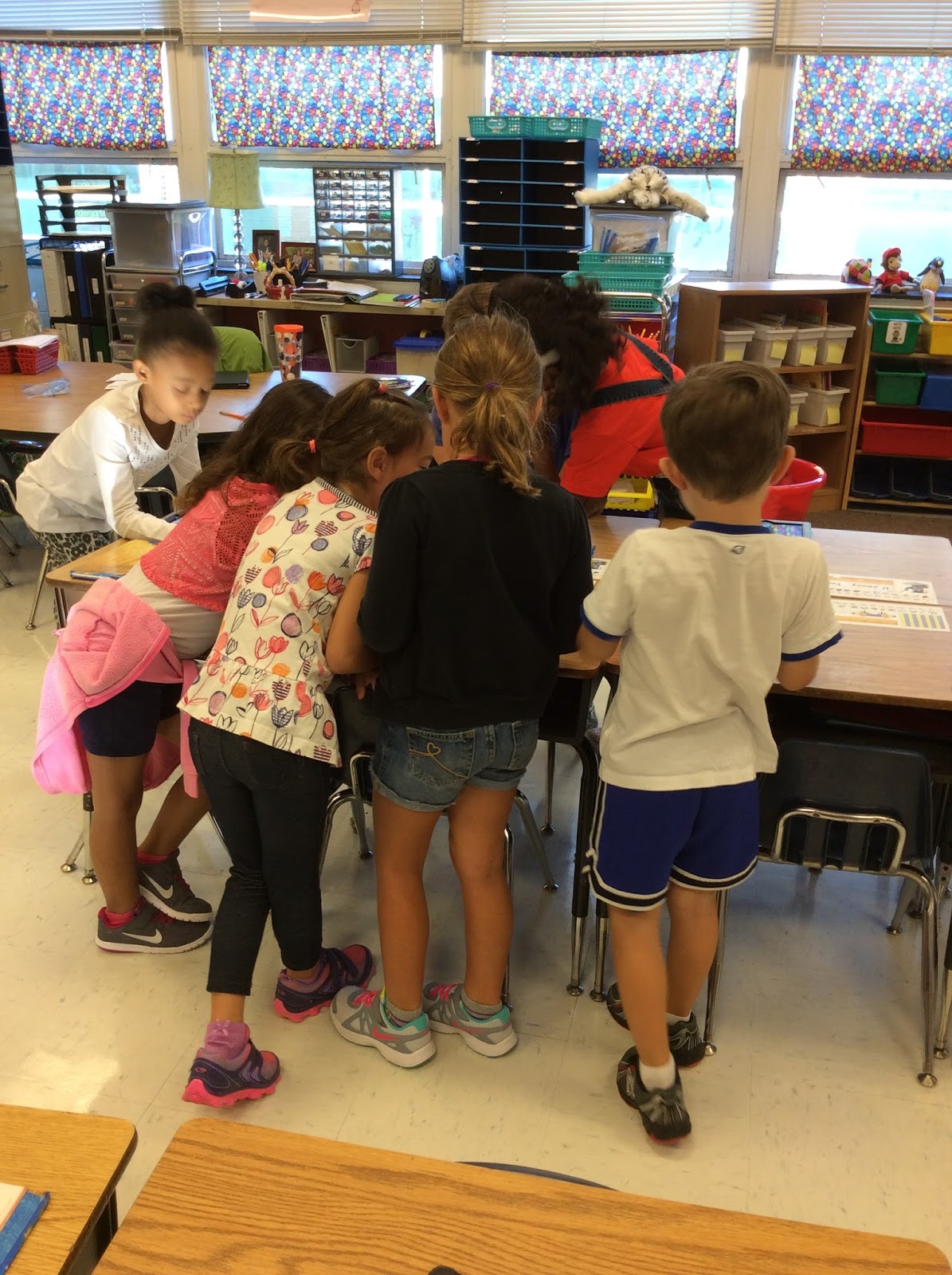
Students were excited about using the app and quickly picked up on how to take a photo of their explorer, record themselves sharing the information they learned, and save it to Dropbox for sharing. They demonstrated great teamwork by helping one another through the steps. 
A student shows another how to use ChatterKids

Two students view a ChatterKid

A student carefully considers what he'll say before recording

Taking photos of Christopher Newport

A student records her ChatterKid

After creating their ChatterKids, students saved their work to Dropbox. This allowed students to view their classmates' projects. Finally, they each shared something that they learned watching the videos using Padlet. Padlet is a digital "cork board" that allows users to post comments and view what others have posted. It's a great tool for sharing and communicating. Enjoy the pictures below of students watching one another's projects!


Letters, Beginning Sounds, and Rhyming Words
All kindergarten classes have been introduced to the iPads. These students are pros at handing the iPads properly and are learning how to search for apps. Of course there's more behind these lessons that just technology!
Students using Chalk Draw to practice writing their names

A student shows a classmate how to search for the Sound Sorting app. Students sort pictures based on beginning sounds. 

 A student practices sorting rhyming words as a SMART Board center

 
Owls are Interesting Creatures
Another way that first graders have shared what they've learned in science is by creating a PicCollage. On the collage, students include a picture of an owl puppet they each made in class and three facts about owls. This was a great way to tie science into writing!

A PicCollage Example


Monday, October 5, 2015

Rain Doesn't Damper Our Learning!


More than six inches of rain fell in Ashland over the past seven days! While outside may have been wet and gloomy, HCES and JGES students have been excited to learn with technology. 

iPads and Writing
Kindergarten students are learning iPad basics during small group rotations. In addition to practicing how to properly hold and turn on an iPad, students are learning how to use the home button and to search for an app. Students are using the app "Chalk Draw" to practice writing their names and alphabet. 


A student practices writing her name

Number Combinations
First grade students have been building their number sense by exploring number combinations. For example 4 can be made by combining 0 and 4, 1 and 3, 2 and 2, etc. Using counters or cubes, students represented different combinations for a particular number. With the help of the app "Pic Collage", students documented their representations.

A PicCollage Example: Number combinations for 8


Students making their representations and creating photo collages

Since students were already familiar with the app ChatterKid, some completed an "App Smash" that allowed them to verbalize what combinations they discovered. Collages they created in PicCollage were used as the picture in ChatterKid. Students then recorded themselves listing the number combinations that were displayed in their representations. 

A student communicates the number combinations modeled with counters


Sharing What We Learned
One class of first grade students learned how to use the app ChatterKid this week. After a short introduction to the app, they then shared what they learned about a specific US symbol. Students used a drawing and made it "talk" with facts they learned during reading groups.

A student works to create a Washington Monument ChatterKid

Digital Citizenship
Fifth graders across Hanover County engage in a series of nine Digital Citizenship lessons throughout the course of the school year. This week I began the series with the introductory "Acceptable Use Policy" lesson. We focused on how our actions can impact our friends, family, and larger community. 

The goal of this Digital Citizenship course is to help students become "Digital Citizens".  This means helping students fully engage in modern advancements like apps, games, social media, cloud computing, and smart devices all while maintaining safe, responsible, and respectful behaviors.  In addition, when you become a digital citizen, you will know how to use technology critically and pro-actively to contribute to society. Source: http://en.wikipedia.org/wiki/Digital_citizen

Monday, September 28, 2015

We're off to a Great Start!

JGES and HCES students may have been in school three short weeks, but learning is well underway. Teachers and students have been actively engaged in the use of technology to support the instructional process. Here's a peek at what's been happening! 

ChatterKids
I cannot say enough good things about this (FREE!) app. This easy to use app allows students to take a photo of anything, draw a "mouth", and record up to 30 seconds of sound. Students in first through fifth grade have made "Chatters" that demonstrate their reading comprehension, writing skills, and what it means to be a good citizenship. 

In fifth grade, students used this app to describe characters in their weekly reading. Using evidence from the text, students explained a character trait that defined their selected character. In first grade students created "Amazing Pictures" inspired by an imaginative story they read in class. Through the use of ChatterKids, students worked to elaborate on their writing by adding details about the appearance of their character and more. 


Students busy creating ChatterPix


Students love sharing their work through "Gallery Walks" where they get an opportunity to view what their classmates' creations


Kodable
One class of first graders is computer programming with the app Kodable. Students use a series of arrows and other directional keys to move their "Fuzzy Ball" through a maze. Kodable, and other programming resources teach students sequencing, problem solving, critical thinking, and communication skills. Students will develop skills that carry over into mathematics, science, and reading. The visual cues for this app are especially helpful for those students with reading and/or language obstacles. 

Students programming with the app Kodable


Reading Rotations
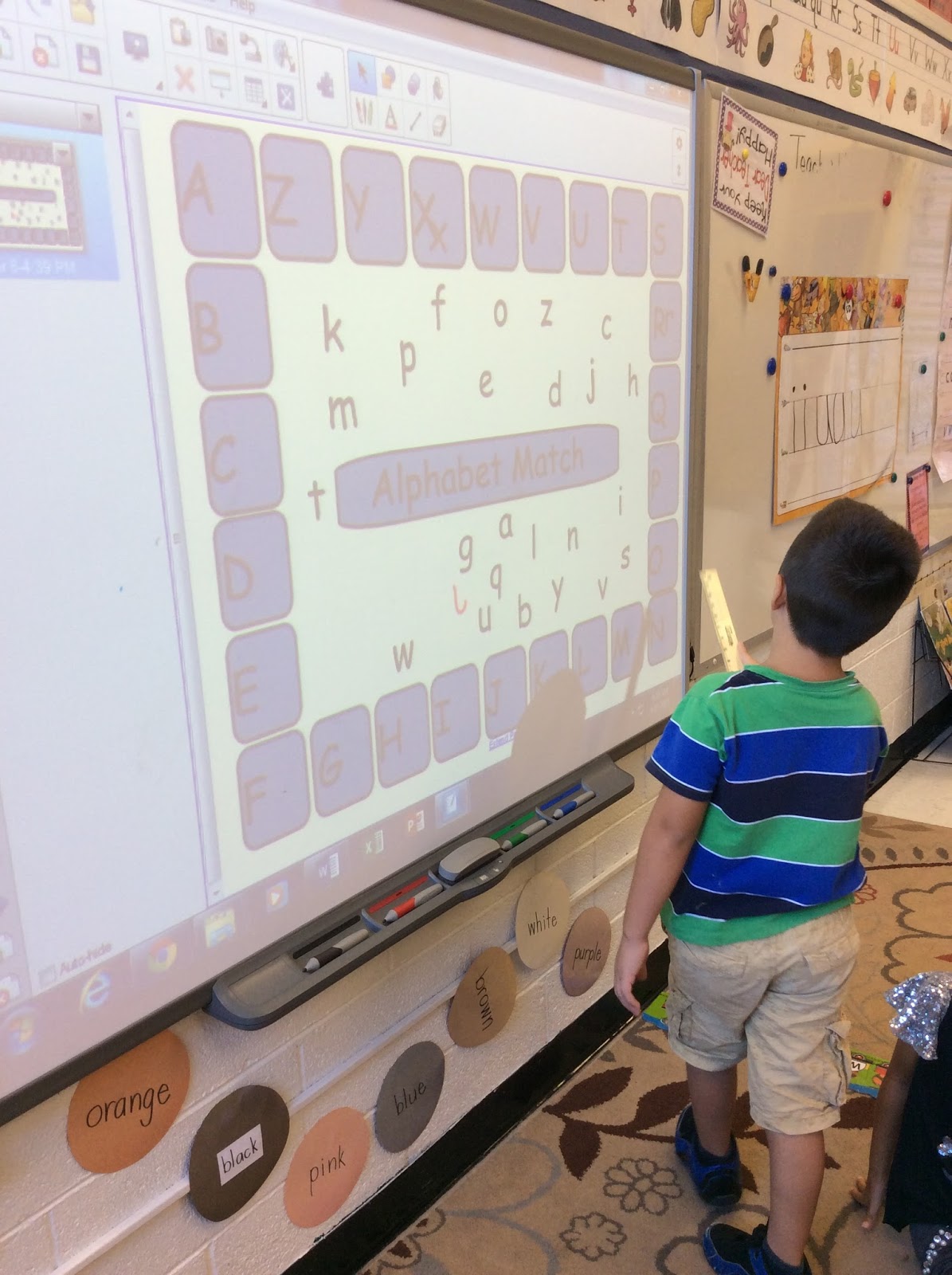
First grade teachers at HCES are working to improve the effectiveness of their SMART Board use this school year. As a result, I have been working with students on using their classroom SMART Boards as an independent reading center. Currently, students are learning the basic functions of the SMART Board while reviewing uppercase and lowercase letters. As the year progresses, students will become independent at this station with activities tailored to meet the instructional needs of student. 
A student practices matching letters at the SMART Board station

In addition to collaborating and planning with teachers, I've been working to update old and set up new iPads (JGES now has 38 and HCES has over 110). I'm so excited to get these devices in the hands of students and see the wonderful things they can create this school year!