Monday, January 18, 2016

Students as Creators

From kindergarten to fifth grade, students have been using iPads to create and share their learning.

Tying Facts into Fiction
After learning about the layers of the Earth, fifth grade students created a machine that would allow them to travel to the center of the Earth. Using the app Seesaw, students drew their device and audio recorded the special features that allow their machine to get past obstacles like rock, melted metals, and intense pressure. Here is an example of a student's work! This was a great way for students to develop their creativity skills while tying in their understanding of the Earth's layers. 

A student draws his machine


Social Studies & Science
First grade students combined what they've learned about timelines in Social Studies with what they've learned about the life of a penguin in Science by creating a timeline of a penguin's life. Students used the app Timeline to include photos illustrating the various stages of a penguin's life and include information. For example, at the beginning of the timeline students had a picture of a penguin egg and a label for the photo. As they continue to work on the project, students will import their timelines into Seesaw where they will include voice recording that gives information they've learned about the stages of a penguin's life.

A student writes a label for his timeline

Skip Counting
Using the app Seesaw, first grade students practiced skip counting by 2, 5, and 10 on a hundreds chart. Students were able to mark on the chart while counting and they audio recorded their counting as an informal assessment. Afterwards, students incorporated their knowledge of patterns by explaining any patterns they observed in their counting. This was a great way for teachers to hear all of their students skip count which can be difficult during a school day with a full classroom.

A student skip counts in a quite spot

Five Senses
This week another class of kindergartners created illustrations that went along with one of the five senses. After illustrating, students audio recorded an explanation of their drawing as well as what they knew about the sense they associated with it. While I've blogged about this activity before, I was so impressed with this class's verbal skills in their explanation and their excitement for sharing what they've learned - I had to share a photo! 


Animal Inventors
Fourth grade students used their knowledge of adaptations and habitats to create a fictional animal. Using the app Seesaw, students illustrated their animal and then recording information, including physical and behavioral adaptations, habitat, predators, and prey.

A student draws his marine animal

Thursday, January 7, 2016

A "Rocky" Tale

Students were flexing their creativity and communication muscles in one fifth grade class as they used the app Toontastic to tell the story of a rock's life (tie in to content here!). Students planned and then created a narrative about how a rock changes throughout its' life. During the planning phase they developed rock characters who would convey various emotions as while moving through the conflict, challenge, climax, and resolution of the story.

The assignment required students to have the rock transform through all three phases of the cycle, but was otherwise open-ended. This was purposeful in order to create an activity that would allow students to be creative in demonstrating their understanding of the rock cycle.

A student creates her rock character 

A student works on narrating his "Toon"

A powerful component of this lesson was that students saved their completed work to Seesaw. This allowed them to view and comment on one another's work and provided parents access to their child's creation. Additionally, the teacher was able to share some videos via projection in the classroom to help clarify common misconceptions.

Students helping one another publish their "Toons"

Students accessing the class Seesaw account to share their "Toons"

Fifth grade science was one of my favorite subjects as a classroom teacher. After this lesson, I realized that while I thought many of my students understood the rock cycle, it was really on a superficial level. After reflecting on these student stories, I realized how abstract the idea of rocks changing deep within the Earth is for students (and me!). Through this activity, students had the opportunity to be creative and communicate; however, it was equally as powerfully to me as a teacher in better understanding the content I teach as well as creating a lesson that engages students and develops life long skills.

Monday, January 4, 2016

Writing, Illustrating, Evaluating, and More!

After two weeks' rest, third graders were ready for an exciting learning opportunity this morning! After reading the book "Snowmen at Night" by Caralyn Buehner, students wrote their very own "If I Were a Snowman at Night" stories sharing what they would do in the cover of darkness if they were snowmen.

A student illustrates his writing

Using the app Seesaw, students typed their stories using the "Note" feature and illustrated a scene from their writing using the "Drawing" feature. After completing their work, students then read their classmates' writing and made comments. I worked with students to create thoughtful comments that were specific and constructive. 


A student reads a classmates' work

Students practiced their creativity, critical thinking, and communication skills in this activity that took less than 30 minutes from start to finish. I know I've said it before, but I can't reiterate enough how great this app is for young learners. Students easily pick up on how to create work, save it, and view the work of their classmates. Enabling students to comment on one another's work creates an authentic experience for teaching digital citizenship and empathy in a safe environment.

Thursday, December 17, 2015

Senses with Seesaw

Seesaw has quickly become my favorite app for elementary students. (I can't thank Mrs. Davidson enough for sharing it with me!) It is an open ended app that allows for creation, sharing, and communication - essential life skills educators must help students develop. After working through a few speed bumps in accessing the app from iPads, I've used this app on a near daily basis with students. Over a dozen teachers at HCES and JGES are experimenting with all it has to offer and I'm looking forward to hearing the parent perspective as teachers begin to send family letters home.

Yesterday a class of kindergartners used Seesaw to demonstrate what they have learned about their five senses. Students used the drawing feature to illustrate something they can hear, see, smell, taste, or touch. Next they recorded themselves explaining which sense they associate with their picture and words to describe it. In centers that lasted about 20 minutes students were able to complete this task and most were able to create two images for different senses. Students will now be able to view on another's work and the teacher can get a glimpse of what each student knows about senses and their oral communication skills.  This is a great example of how easy it is to get students creating, sharing, and communicating with Seesaw!


Students working on their illustrations


Monday, December 14, 2015

How fluent are you?

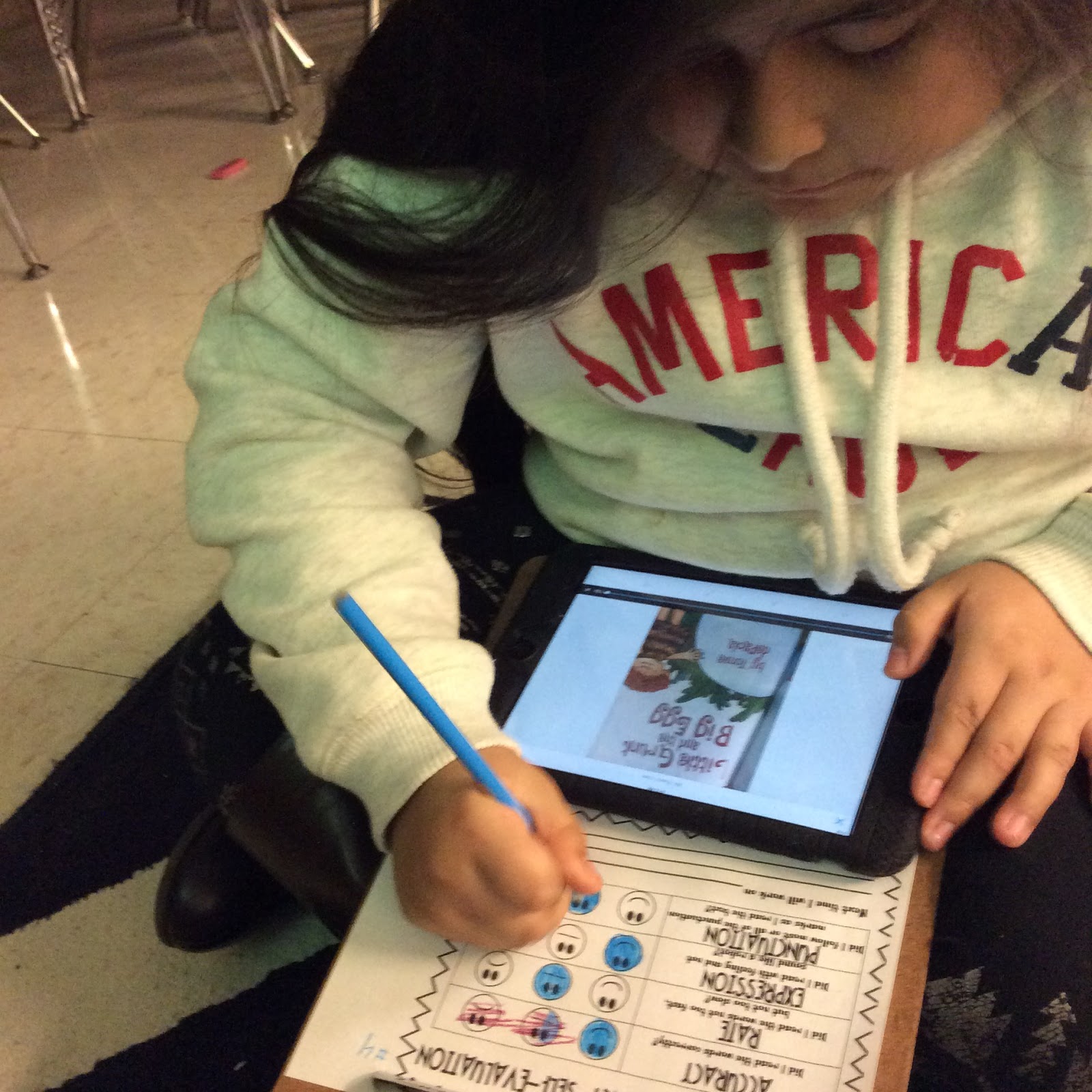
When is the last time you listened to yourself read? Why should students listen to themselves read? Over the last few weeks several classes at JGES learned about the different components of fluency, how fluency impacts reading comprehension, and how to self-assess their fluency.

For our purposes we broke fluency down into four areas - accuracy, speed, expression, and punctuation. After practicing what each component sounded like, students used the app Seesaw to record themselves orally reading a piece of text. Afterwards, students listened to the recording and assessed themselves on each of the four focus areas. Based on their self-assessments, each student set a goal that he will focus on over the next several weeks before repeating the process. 

Students using Seesaw to record a reader's theater

A student self assesses her fluency

Friday, December 11, 2015

Hour of Code

This week, across the globe, individuals are participating in Hour of Code. This introduction to computer science is designed to demonstrate that anyone can learn the basics of coding. One class of first graders used the resources at code.org (visit to have your own Hour of Code) to better understand computer programming. In their tasks, students worked to help Pixel the puppy find his way home.

Students learned how to program a series of commands and put to use their knowledge of patterns to create loops! What a fun way to practice math skills! After coding, I asked students about the task and the responses were overwhelmingly positive. Each student I spoke to individually commented on the challenge that the task faced and how much they enjoyed it. 

The Hanover ITRTs are currently reading "Mindset" by Carol Dweck and I couldn't help but think how these students demonstrated a growth-mindset in their willingness to accept a challenge and the joy that they found in working to solve that. How can we, educators and parents, help our students continue that mindset moving forward? What do you do to help instill a growth-mindset in your students or children?


Tuesday, November 17, 2015

First Grade Curriculum Night

On Thursdsay, November 5th first graders had the opportunity to bring their families to school to learn what it means to be a first grader at HCES. Attendees rotated through three rooms focused on math, reading, and technology integration. In each room, teachers shared what students have been and will be learning this school year as well as strategies that can be used at home to help students be successful.

Mrs. Davidson, Mrs. Trent, and I shared examples of student work that demonstrated how students are using technology to transform their learning. Parents viewed student work that integrated science and writing, heard students demonstrate their understanding of number concepts, and witnessed how technology can be used to enhance creative storytelling.

In addition to learning about how technology is supporting learning, students had the opportunity to teach their parents how to use the app ChatterKids! Using a picture of topics recently learned about (bats, pumpkins, apples, and American symbols) families worked together to create a movie showing what they knew about a topic.

I enjoyed meeting families and sharing about the meaningful learning happening in first grade at HCES. Enjoy the pictures below of families working to create ChatterKids!